Beta · mpd² Year 2 · Focus & Deep Work
Sep 2026 – Present · Beta launched Sep 19, 2026
E-Ink Mode
A calmer, grayscale Mac for deep work — with a study system built in.
Color is what makes badges, feeds, and notifications pull at your attention. E-Ink Mode is a macOS menu bar app that turns the screen grayscale, like an e-reader, so the work comes forward. It went from first prototype (Sep 16) to a public beta for my mpd² classmates in three days, built with Claude. The speed to a working product and its immediate ROI are what hooked me going into Year 2.
Focus Sessions & Streaks
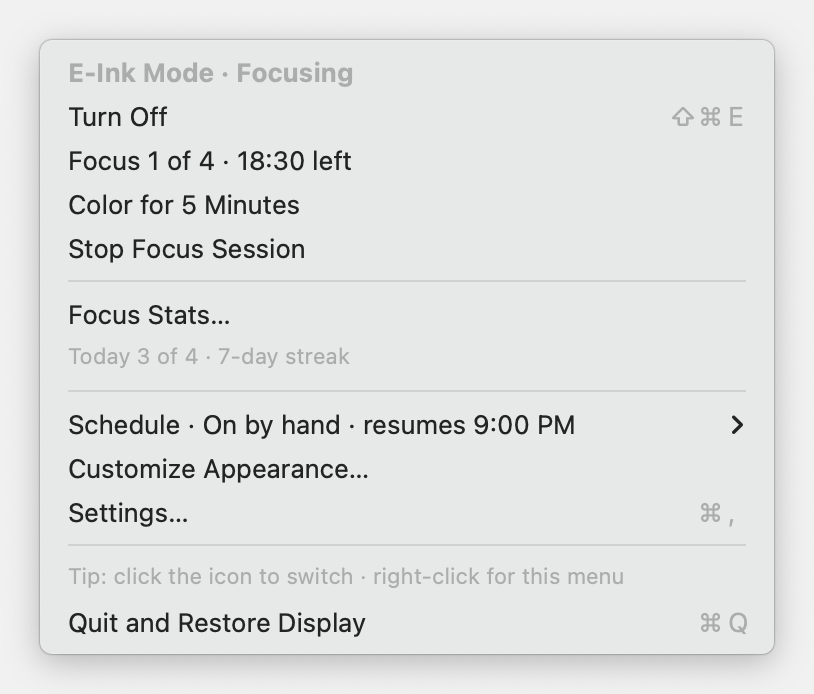
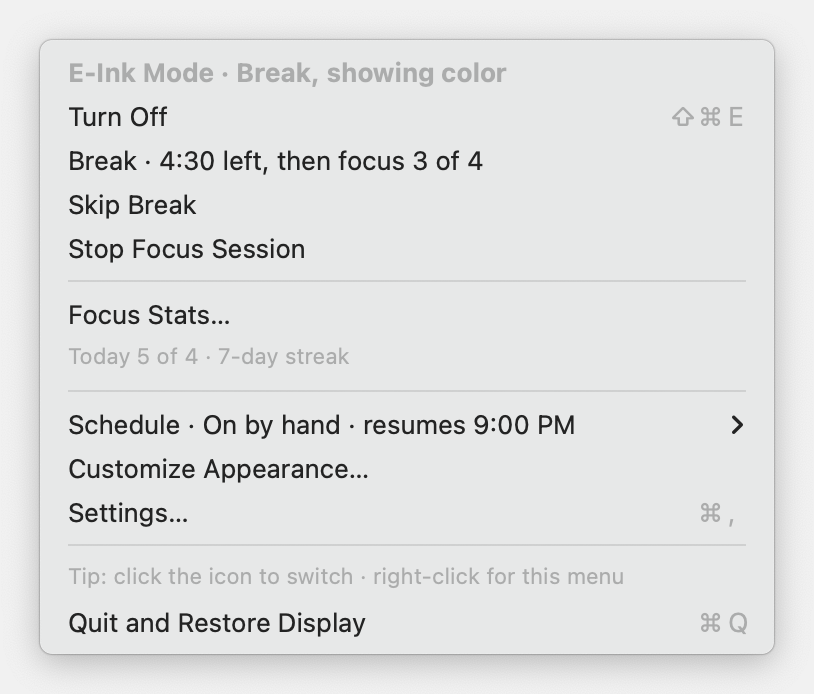
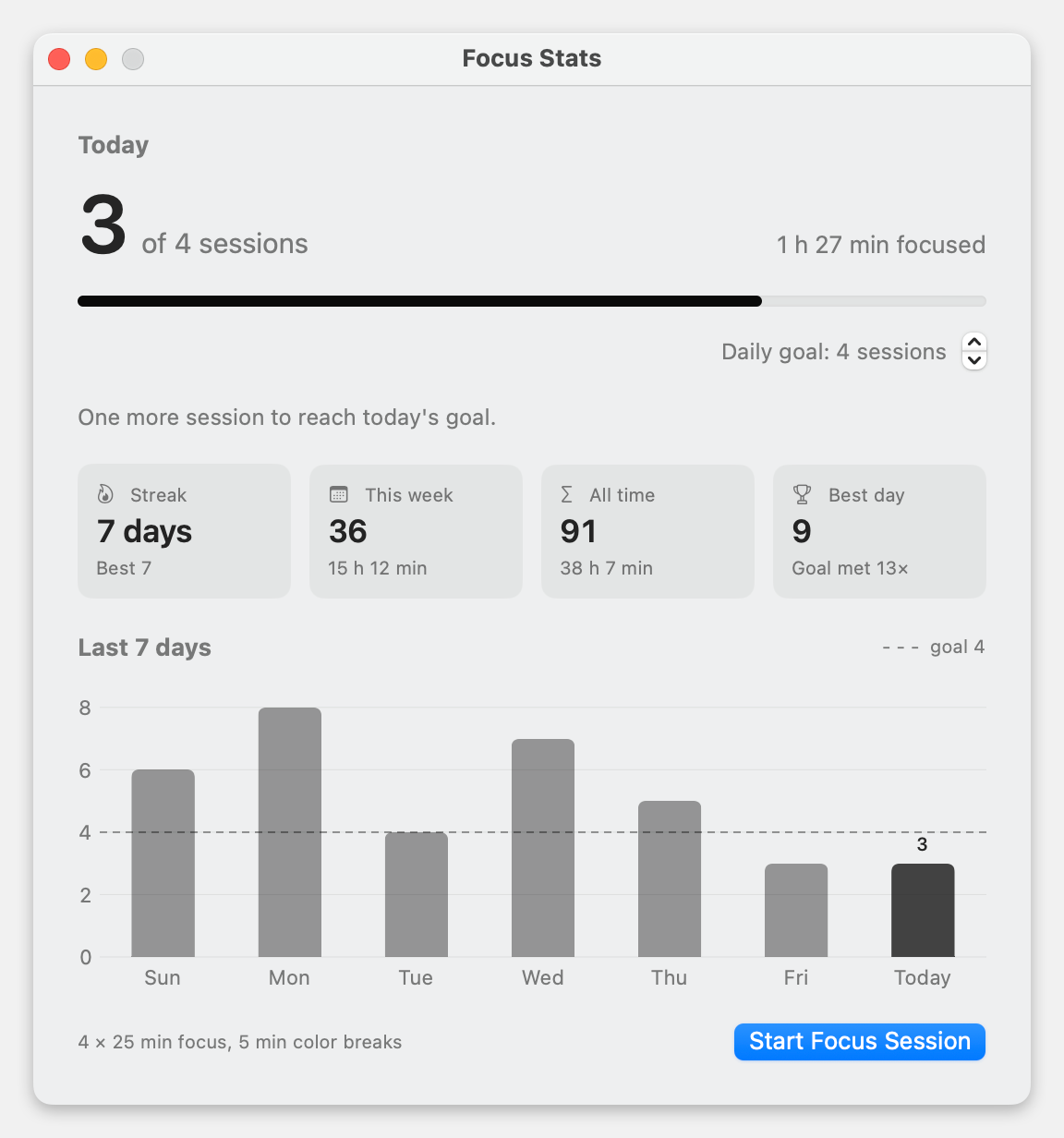
Pomodoro-style rounds: 25 minutes in grayscale, a 5-minute color break, repeat. A live countdown sits in the menu bar. Focus Stats tracks today against a daily goal, your streak, and the last seven days, with a nudge like “One more session to reach today’s goal.”
Designed for Trust
Grayscale is the only default change, and there’s a 10-second preview before you commit. Your original display settings are saved before anything changes, so quitting, logging out, updating, or even a crash puts the Mac back exactly as it was. Color for 5 minutes, an evening schedule, and Wildcat mode round it out.
Focus in grayscale, break in color, and Focus Stats with your daily goal, streak, and last seven days · click to enlarge
Swift
SwiftUI
AppKit
Swift Charts
macOS Accessibility
XCTest · 66 tests
GitHub Releases
Claude
Side Project · Chicago Skyline & Applied AI
Sep 2026 – Present
SpireSpotter
What color is the Sears Tower tonight — and why?
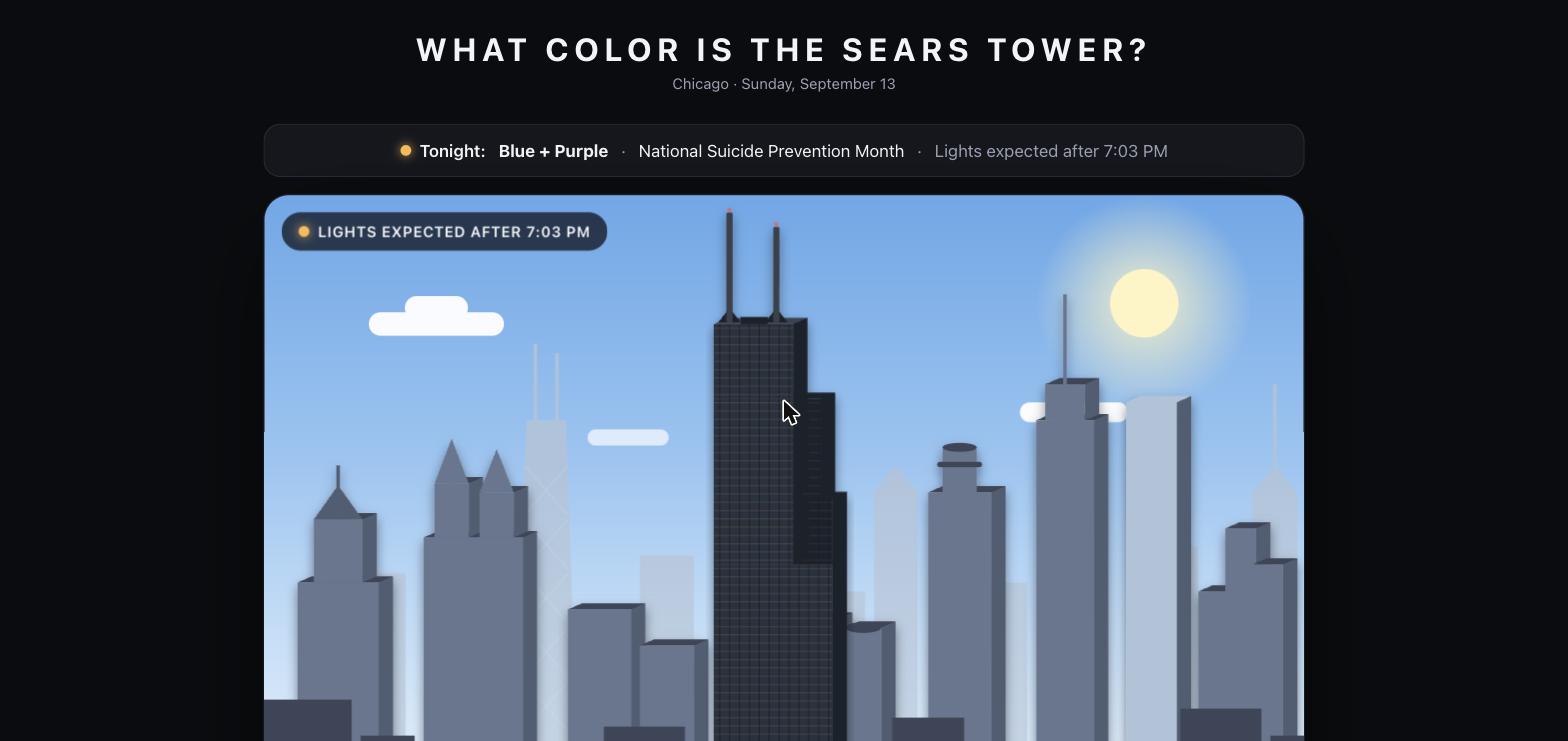
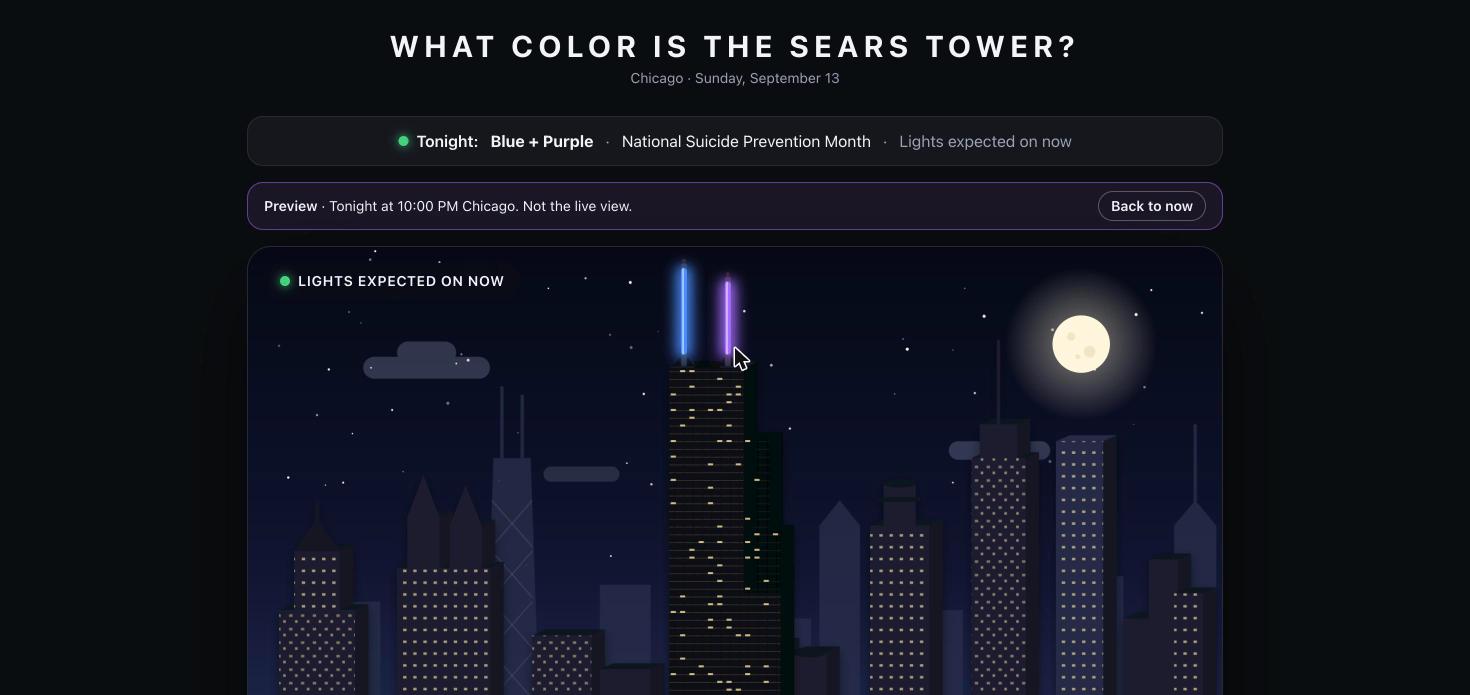
SpireSpotter answers a familiar Chicago question with tonight’s scheduled Willis Tower antenna colors, the occasion behind them, and when the lights are expected. A pop-up-book skyline follows Chicago’s clock through day, sunset, night, and sunrise. Lighting information comes from the official Skydeck schedule, with source links and a clear indication when nothing has been announced.
A Skyline That Follows Chicago
Sunrise and sunset calculated for the tower’s coordinates. Color-lit antenna masts, previews of other nights, shareable pages for each date, and a schedule covering upcoming and past lighting events.
Automated, Source-Checked Updates
A daily pipeline reads the official schedule, extracts structured data with an LLM, cross-checks it against a rules parser, and validates records before publishing. Manual corrections take precedence, and the static site serves visitors without calling an LLM.
Daytime view and night preview — click either screenshot to enlarge
Next.js
TypeScript
SVG
SunCalc
Zod
LLM Extraction
GitHub Actions
Cloudflare Pages
Side Project · Local LLMs & Gaming
Sep 2026 – Present
cs_wifi_swap
Cheeky & Easy Swap between Work and Play aka LLMs & CS2
Built with Astra 6 & Fable 5.1
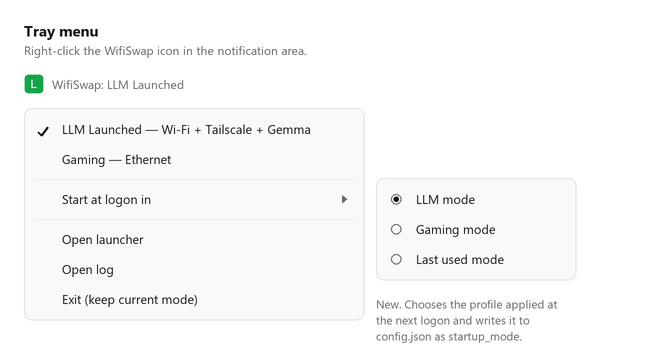
One PC, two very different jobs. cs_wifi_swap is a Windows tray utility that switches the whole setup between local LLM work and Counter-Strike 2 gaming: network preferences, Tailscale, and the model launcher move together. Right-click the tray icon, pick a profile, and let the utility handle the handoff.
Work · LLM Launched
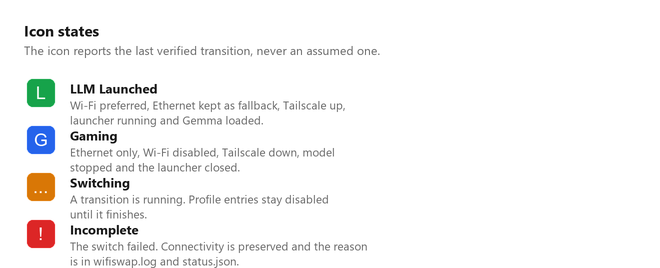
Prefers Wi-Fi, keeps Ethernet available as a fallback, connects Tailscale, and starts the launcher with the configured model. The profile is confirmed only after the network and model readiness checks pass.
Play · Gaming
Checks Ethernet connectivity, stops the model, closes the launcher, disconnects Tailscale, and disables Wi-Fi. Color-coded tray icons show when the switch is complete, still running, or needs attention.
Tray menu and status icons — interface images from the repo; click either to enlarge
Python
Windows
PowerShell
Tailscale
Local LLMs
Northwestern mpd² · MPD 445 Product Management
Mar 2026 – Present
Chi-Muter
A multi-modal commute companion for Chicago transit
Chi-Muter is a connection-protection layer for recurring commuters who coordinate across CTA buses, CTA rail, and Metra. Unlike Google Maps, Transit App, or Ventra — each of which solves one slice of the trip — Chi-Muter is focused on the handoff between transit systems. It evaluates live CTA arrivals against rigid Metra departures, calculates transfer makeability, and tells you whether your connection chain is still intact. The MVP runs on a Raspberry Pi backend over Tailscale, fusing CTA Bus Tracker, CTA Train Tracker, and Metra GTFS feeds into a single managed commute view.
Connection Intelligence
Saved commute templates instead of one-time trip search. Multi-leg connection health evaluation with green/yellow/red status. Compares feeder options (9 vs. X9) against a Metra anchor departure. Leave-by guidance and buffer-aware recommendations.
Live Architecture
Raspberry Pi backend running as a systemd service. CTA Bus Tracker and Metra schedule/realtime API integration. Server-side API key handling. Tailscale Serve for secure private access. Mobile-first dashboard with morning/return commute toggle and demo mode for offline review.
tokenjockey.com — Chi-Muter Clickable Prototype
Interactive clickable prototype — tap the phone screen or use arrow keys to navigate workflows
Python
React
CTA Bus Tracker API
Metra GTFS-RT
Raspberry Pi
Tailscale
systemd
CORS
Side Project · Local LLM Infrastructure — iOS Client
Dec 2025 – Feb 2026
Token Jockey iOS
Native mobile client for the LLM Launcher stack
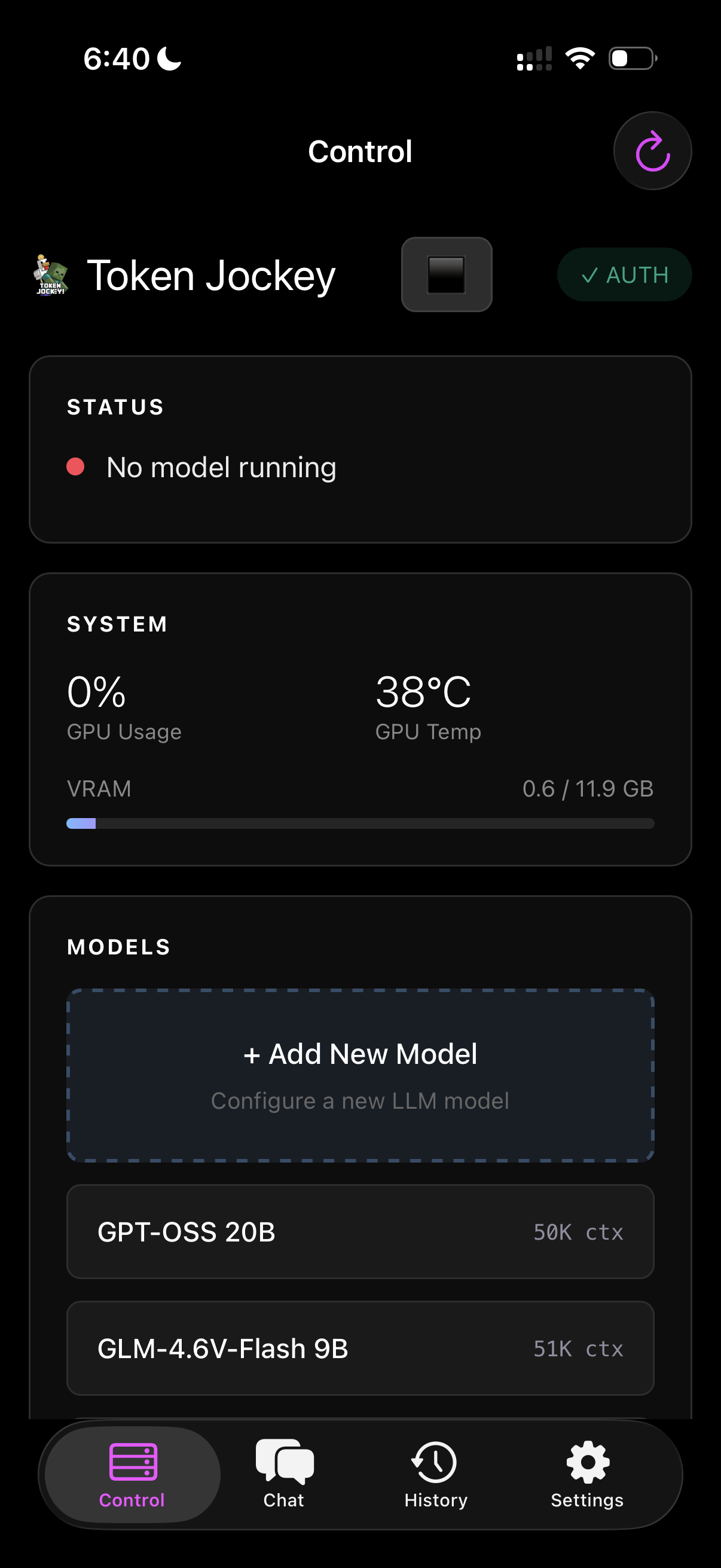
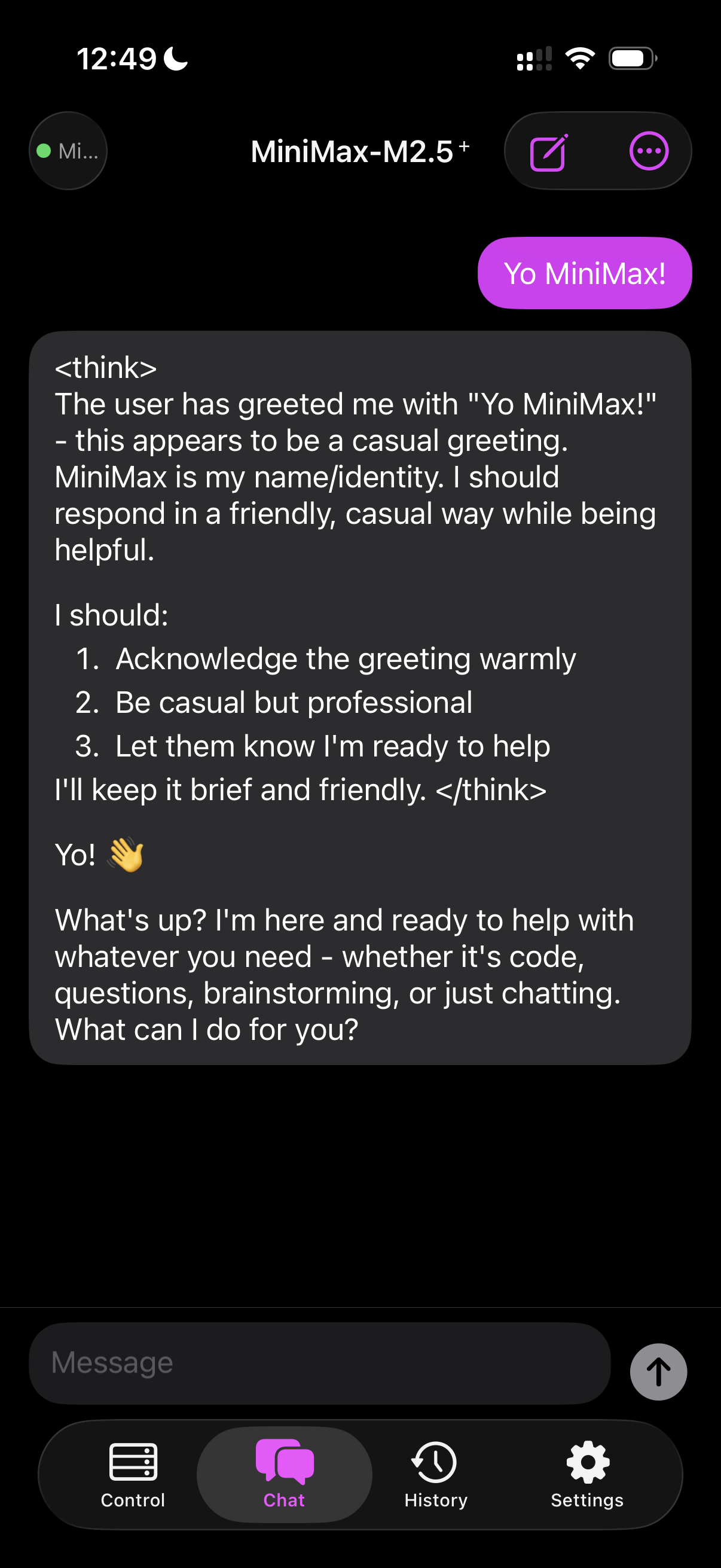
A lightweight SwiftUI app for managing and chatting with LLM models — local llama.cpp over Tailscale, plus MiniMax and GLM/ZhipuAI cloud providers. Token Jockey connects to the LLM Launcher server for full model control, and adds a native chat experience that works across local and cloud backends — streaming responses via SSE, storing conversations locally, and supporting per-model system prompts.
Multi-Provider Chat
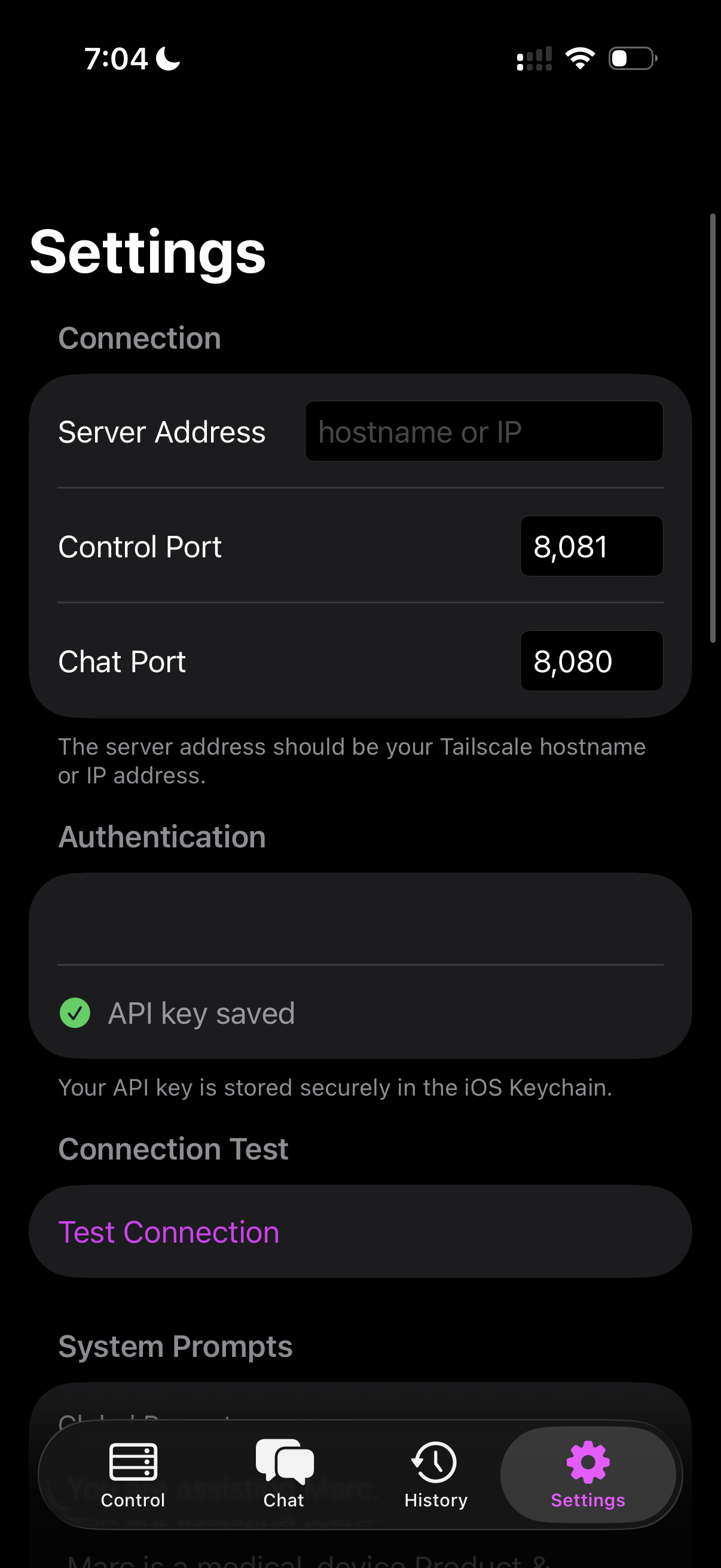
Switch between Local llama.cpp, MiniMax, and GLM/ZhipuAI from Settings. All providers use the same OpenAI-compatible SSE streaming path. Native SwiftUI chat with stop generation, markdown rendering, double-tap message navigation, and long-press send to select system prompt (None, Global, Model, or Global + Model).
History & Settings
Local JSON-backed conversation history with swipe-to-delete. Per-provider API keys and model fields stored in iOS Keychain. Chat Provider picker in Settings. Appearance mode and accent color customization. Global and per-model system prompts with active prompt indicators (* model, + global).
SwiftUI
WKWebView
SSE Streaming
llama.cpp
MiniMax
GLM/ZhipuAI
Tailscale
iOS Keychain
MarkdownUI
Side Project · Local LLM Infrastructure — Server
Dec 2025
LLM Launcher
The control plane behind Token Jockey
A Python-based remote control server for managing local llama.cpp models with API key authentication, real-time GPU and VRAM monitoring, health checks, and live log tailing — all accessible over Tailscale from anywhere on the mesh. LLM Launcher is the server-side foundation that Token Jockey connects to: it handles model lifecycle (start, stop, swap), exposes an OpenAI-compatible chat endpoint, and serves an embedded web UI for configuration. This was the first piece of the stack — built to solve the practical problem of running inference on a home GPU while working from a laptop across the house or on the road.
Infrastructure
External JSON config for model management. Auto-detects Tailscale IP. Binds llama-server to all interfaces for network access. CORS-aware with API key authentication on all endpoints.
Monitoring & Control
Real-time GPU stats (VRAM, utilization, temperature). Health checks that confirm model readiness for inference, not just process liveness. Live log tailing piped from llama-server stdout. Full REST API for external tool integration.
gaming-pc.tailnet.ts.net:8081
Scrollable demo — saved snapshot of the LLM Launcher control panel
Python
llama.cpp
CUDA
Tailscale
NVIDIA SMI
OpenAI-Compatible API
GGUF Models
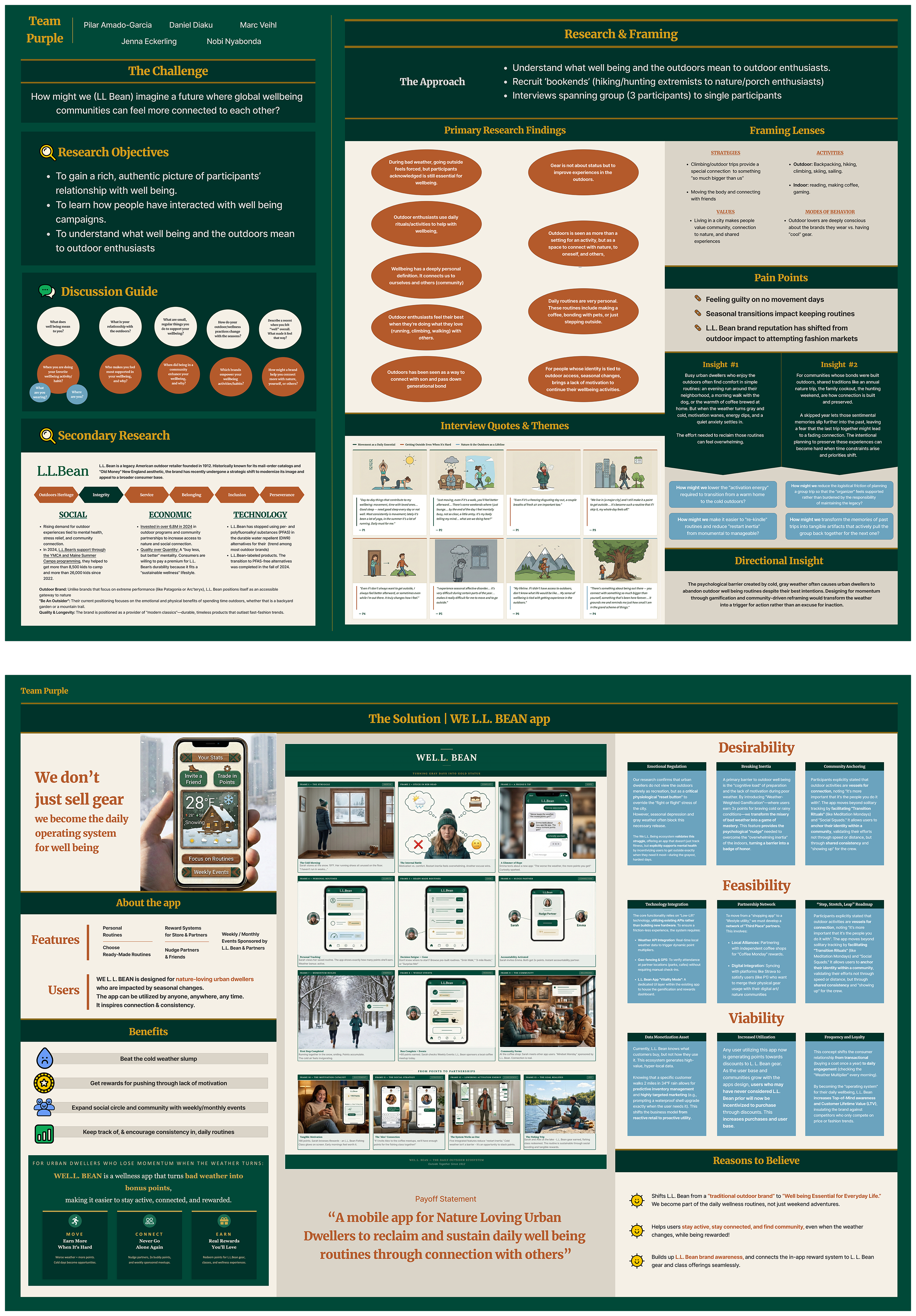
Northwestern mpd² · Team Purple
2025 – 2026
Design Through Understanding